
Overview
SnapVee Studio is an AI content workspace built for creators, social media teams, and video-first businesses. It helps turn public videos, scripts, subtitles, prompts, images, and existing content into reusable publishing assets for YouTube, TikTok, X, Instagram, LinkedIn, and other platforms.
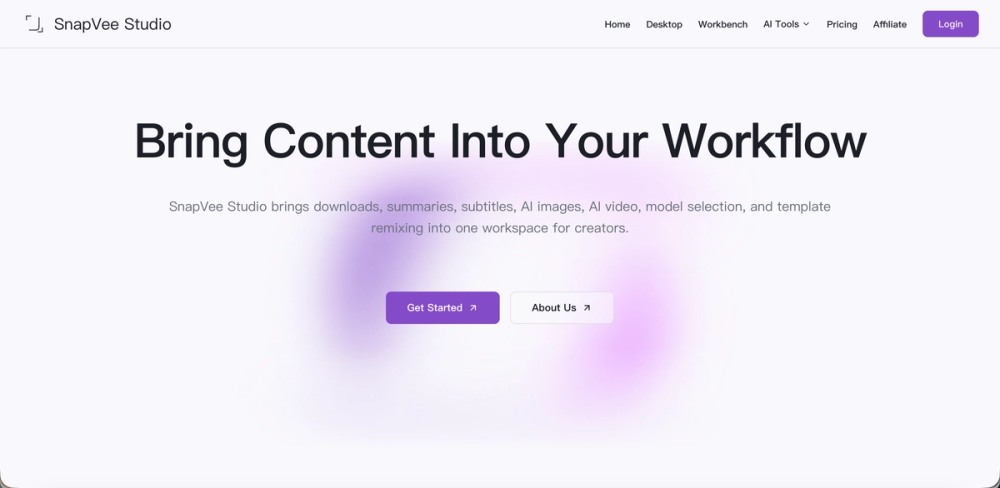
Instead of switching between separate tools for transcription, summarization, rewriting, image generation, video generation, model selection, and publishing preparation, SnapVee Studio brings these workflows into one focused workspace. Creators can analyze videos, extract key ideas, generate summaries, transcribe subtitles, improve AI-written copy, create visuals, generate video assets, remix templates, and prepare content for multi-platform publishing.
Key Features
SnapVee Studio supports public video processing, subtitle transcription, content summarization, AI humanizer, copy rewriting, AI image generation, AI video generation, model selection, template remixing, and publishing asset reuse.
Users can process public video links, understand long-form content faster, convert spoken content into text, summarize transcripts, create titles and descriptions, rewrite copy in a more natural tone, generate thumbnail or social media visuals, produce video ideas, and reuse successful content structures across new topics and platforms.
Use Cases
YouTube creators can use SnapVee Studio to summarize videos, create chapters, generate titles, descriptions, subtitles, thumbnail ideas, and short-form content angles.
TikTok and short-form creators can turn long videos or scripts into hooks, captions, visual prompts, and short video ideas.
Social media managers can transform one source into X posts, LinkedIn updates, Instagram captions, YouTube descriptions, and newsletter ideas.
Content teams and agencies can use it as a shared AI workspace for research, client content, campaign materials, scripts, subtitles, and reusable publishing assets.
Getting Started
Start by adding source material such as a public video link, transcript, script, draft post, subtitle file, or prompt idea. Then choose a workflow: summarize, transcribe, rewrite, humanize, generate images, create video ideas, remix a template, or prepare publishing assets.
After the first result, refine the output by adjusting tone, shortening it, making it more natural, adapting it for another platform, or generating more variations. Titles, summaries, descriptions, subtitles, captions, scripts, prompts, and visual ideas can then be reused across future content workflows.
Pricing & Plans
SnapVee Studio is designed for individual creators, professional creators, content teams, and agencies. Pricing may depend on usage, selected AI models, video processing volume, generation capacity, and access to advanced features.
A basic plan is suitable for trying AI content workflows. A professional plan is better for active creators who regularly process videos, generate content, and prepare publishing assets. A team or business plan is suitable for agencies and media teams that need higher limits, shared workflows, and advanced production features.


