
AI Image to Video – Overview & Key Features
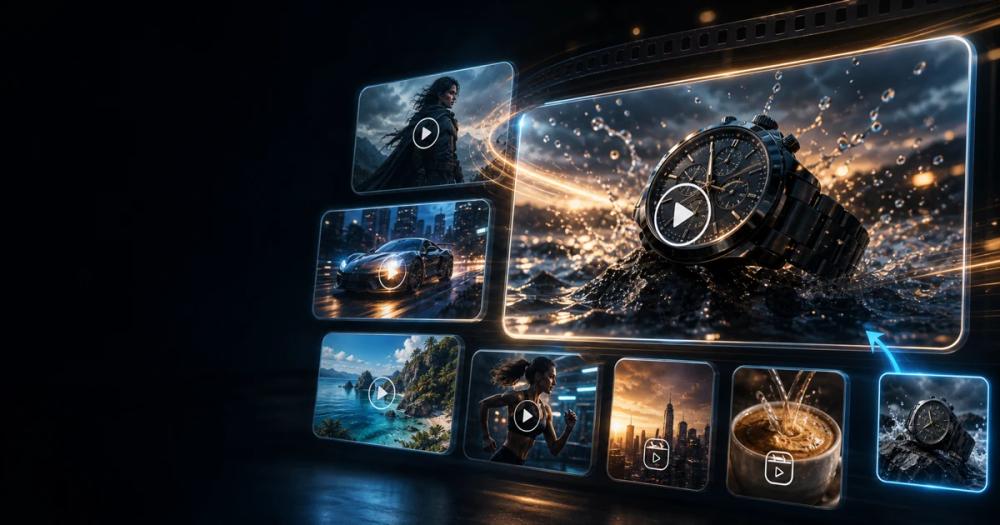
AI Image to Video is a third‑party browser‑based workflow that lets creators generate high‑quality source images (via GPT Image 2), edit references, and continue them into AI‑driven videos using models such as Seedance 2.0 or Kling 3. The platform emphasizes a “frame‑first” approach: users craft clean, well‑composed stills before animating them, which reduces drift and improves consistency.
Core Features
- GPT Image 2 Image Generation – Text‑to‑image with customizable resolution, aspect ratio, and quality tiers (Standard, HD, Studio).
- Reference‑Based Editing – Upload up to several reference images per element to keep style, composition, or subject stable across revisions.
- Image‑to‑Video Workflow – Seamlessly pass a generated image to Seedance 2.0 or Kling 3 for short AI video clips (4‑15 seconds). Advanced controls support multi‑shot narratives, element tokens, and multimodal references (image, video, audio).
- Prompt Library & Templates – Reusable prompt structures for product shots, UI mockups, character sheets, infographics, and more.
- Credit‑Based System – Free sign‑up credits, daily check‑ins, and purchasable credit packs; paid subscriptions unlock higher‑quality modes, priority queue, and longer video durations.
- Commercial‑Ready Output – Watermark‑free exports (on paid plans) and explicit commercial‑use licensing, though users must verify rights for any third‑party assets.
- Safety & Moderation – Disallows NSFW, deepfake, or deceptive impersonation content; enforces strict content‑policy enforcement.
Typical Use Cases
- E‑commerce product visuals – Create clean hero shots, packaging renders, and lifestyle images that can be animated into short ad clips.
- Character & avatar references – Generate stable face, outfit, and pose sheets for motion‑capture or animated series.
- Storyboarding & motion previews – Produce first‑frame storyboard assets that can be expanded into video sequences.
- UI/UX mockups – Design interface screenshots or prototype frames before building interactive prototypes.
- Social media creatives – Produce vertical or square images ready for TikTok, Instagram, or YouTube Shorts, then animate them for higher engagement.
- Content repurposing – Turn existing reference images into multiple formats (poster, thumbnail, infographic) without rebuilding from scratch.
By separating image creation from video generation, creators can iterate quickly, test many visual directions at low cost, and only spend credits on the final, approved motion clips.


